

Master the Cinematic Look: Exploring Dehancer Pro Plugin for Film Emulation
🔊Listing the blog post as a podcast.
Table of Contents:
Introduction:
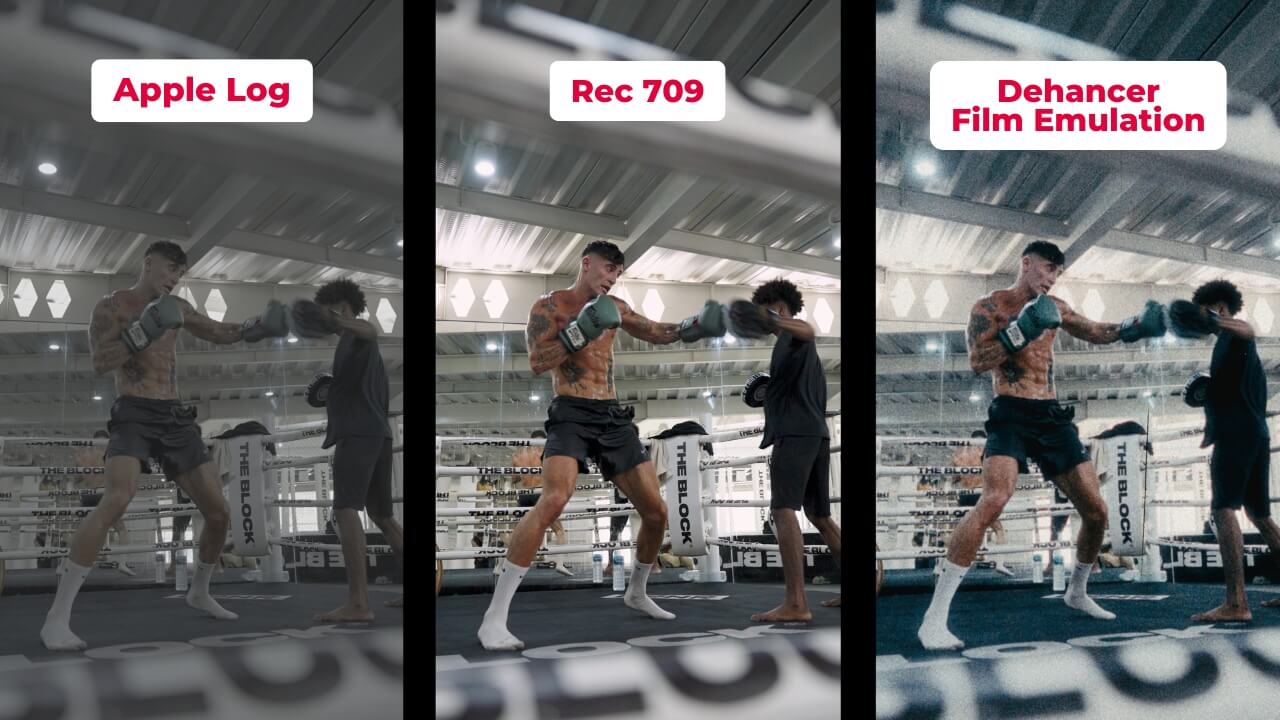
Creating a cinematic color grade has never been easier, thanks to the Dehancer Pro plugin. Since its release, it has revolutionized how filmmakers and colorists emulate the timeless aesthetics of analog film. As someone who’s been using it since 2022, I’ve found it to be an invaluable tool for quickly color grading Sony S-Log 3 or Apple Log footage to achieve a stunning cinematic look. In this blog post, I’ll guide you through the features of Dehancer Pro and show you how to set up your color management in DaVinci Resolve.
By using "MAIK" you will get 10% Discount of Dehancer Pro
Setting Up Dehancer Pro in DaVinci Resolve
To get started with Dehancer Pro in DaVinci Resolve, you’ll need to:
1. Install the Plugin: Download and install Dehancer Pro from their official website.
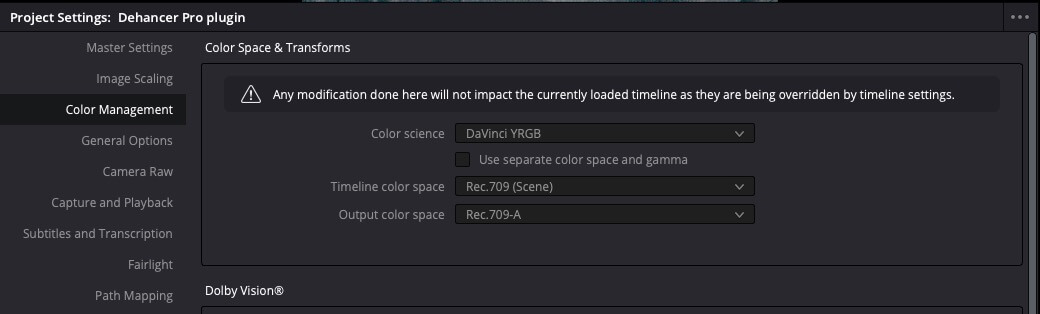
2. Set Up Color Management: Navigate to your project settings, choose "Color Management," and ensure your working space aligns with your footage (e.g., Rec.709/Rec709-A (for mac) or ACES).
Important setups and steps to make:
Open your project in DaVinci Resolve.
Navigate to Project Settings > Color Management.
Set the Color Science to your preferred working space (e.g., DaVinci YRGB Color Managed).
Configure the Timeline Color Space to match your footage requirements.
3. Apply the Plugin: Add Dehancer Pro in the color page as a node in your color grading workflow. It’s recommended to place it after your primary adjustments at the end even if you start the color grading with dehancer pro.
Easy steps:
In the Color page, add a new node to your node tree.
Apply Dehancer Pro to this node by selecting it from the OFX library.
Adjust the plugin settings to achieve your desired film look.
Now, let’s dive into Dehancer Pro’s tools and features.
Dehancer Pro Features: A Quick Go Through Guide
Film Developer:
The Film Developer controls the contrast and tonal density of your footage, simulating the chemical development process. This step defines the core look of your grade and is essential for achieving an authentic film feel.
Print:
Emulates the properties of print film stocks to mimics the characteristics of analog print film. You can choose from options like Linear, Kodak 2383, or Fujifilm, each offering distinct color and density properties.
Film:
Select from over 60 film profiles, each meticulously crafted to emulate classic film stocks. Whether you’re aiming for vibrant tones or muted aesthetics, this tool lets you achieve your desired style.

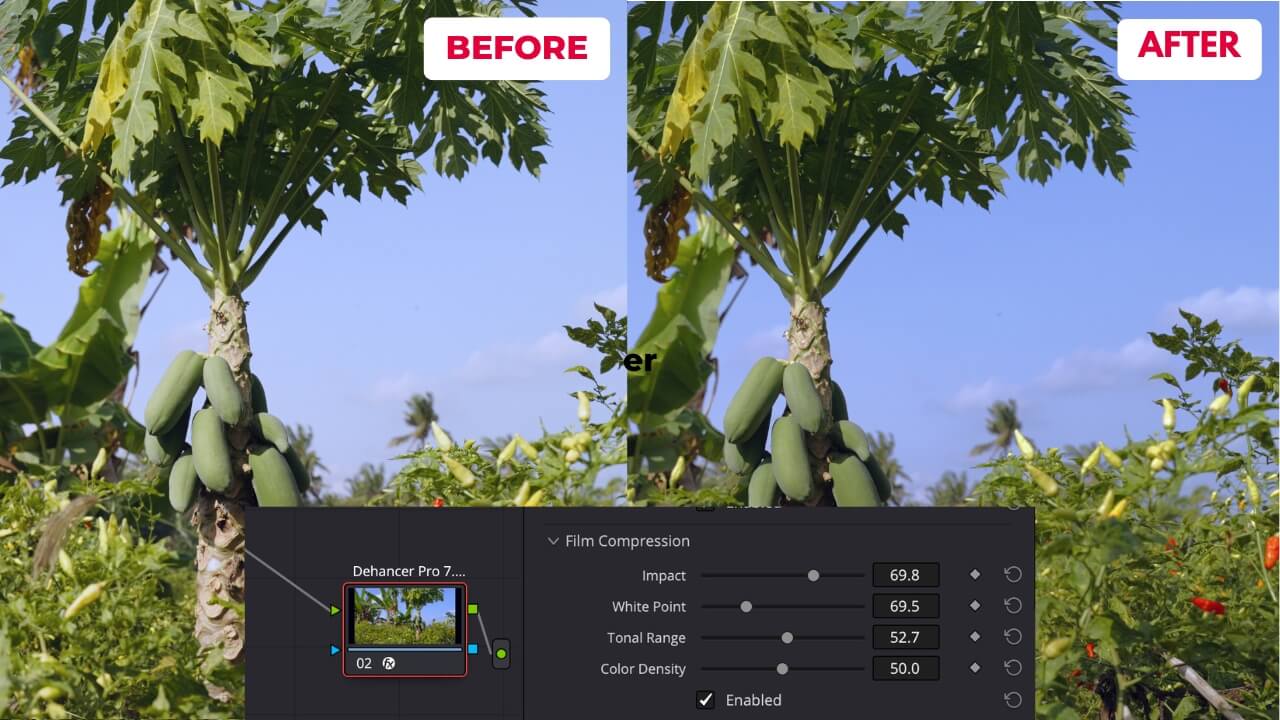
Film Compression:
This feature helps manage highlight roll-off and tonal compression, ensuring your footage retains a natural, filmic dynamic range without harsh clipping.
Expand:
Expand adjusts the black and white points of your footage, allowing you to fine-tune contrast and overall tonal balance for a polished look.
Color Head:
Simulate the traditional color head adjustments of analog printers, giving you control over shadows, midtones, and highlights with cyan, magenta, and yellow sliders.
Film Grain:
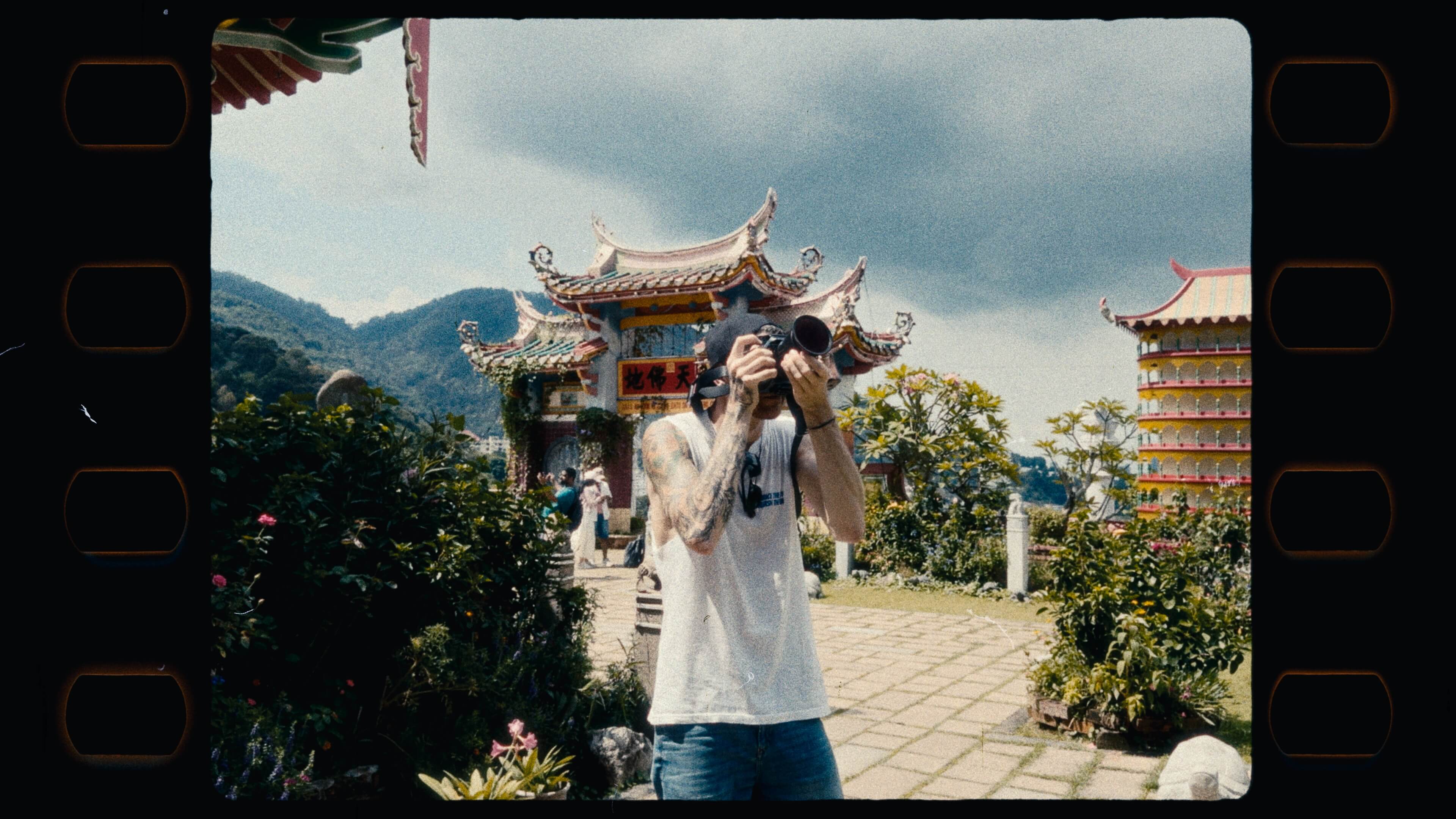
Add realistic film grain with precise control over size, amount, and color. Unlike artificial overlays, this grain interacts with your footage for an organic texture.

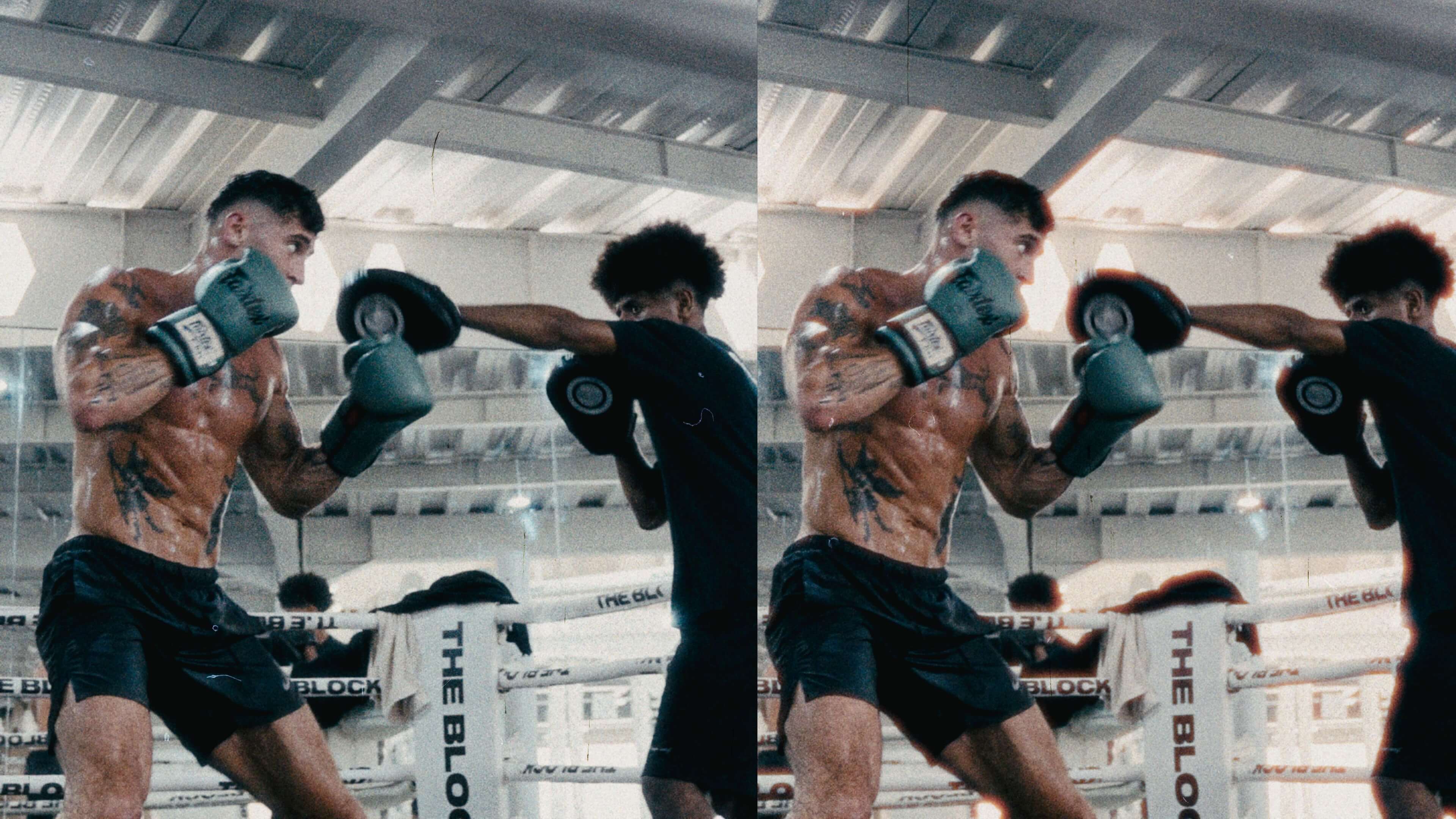
Halation:
Halation replicates the reddish glow seen around high-contrast edges in film. This subtle effect adds authenticity and depth to your footage.
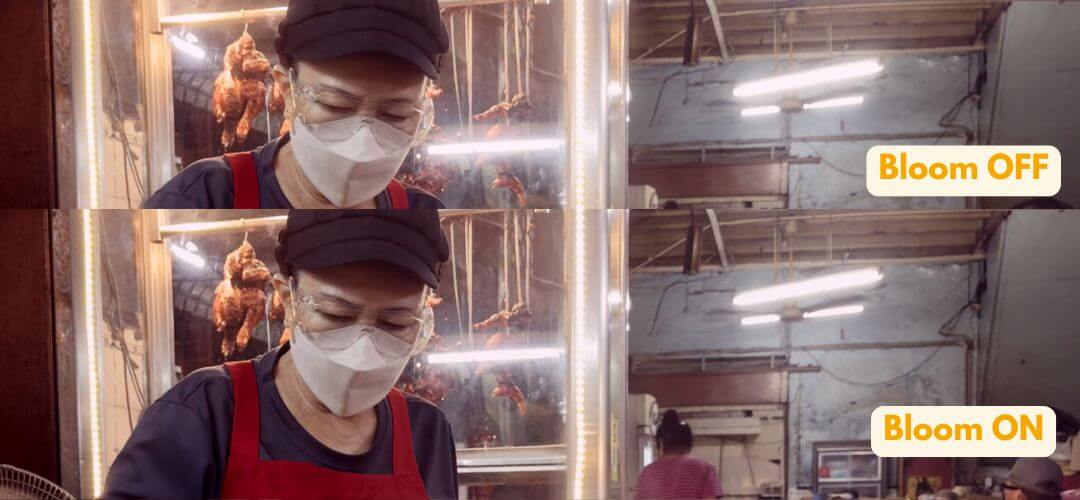
Bloom:
Create a dreamy, soft glow around highlights with the Bloom effect. It’s perfect for adding a cinematic and nostalgic touch.
Vignette:
Adjust the vignette to naturally draw attention to your subject by darkening the edges of the frame.
Film Damage:
Add imperfections like dust, scratches, or flicker to emulate the wear and tear of aged film reels.
Film Breath and Gate Weave:
Film Breath mimics exposure fluctuations, while Gate Weave simulates the slight frame movement inherent in analog projectors, adding life to your digital footage.
Monitor - False Color:
This tool assists in exposure management by displaying false color overlays to identify areas that are too bright, too dark, or perfectly exposed.
Overscan:
Overscan provides control over the visible frame beyond the standard edges, adding to the analog authenticity.
Output:
Customize your final output settings, ensuring your project meets technical specifications while retaining the filmic look.
LUT Generator:
Export your grade as a LUT to maintain consistency across different projects and workflows.
Options & Render Time:
Dehancer Pro’s options allow for extensive customization, but complex settings can impact render time. Experiment to find the balance between quality and efficiency that suits your needs.
Check out my Youtube video about Dehancer Pro its a Step by Step Tutorial
Why I Love Dehancer Pro Film Emulation Plugin?
Since 2022 I implemented Dehancer Pro into my workflow, it has become an must have tool for color grading. Its intuitive interface and powerful features allow me to swiftly transform Sony S-Log 3 or Apple Log footage into cinematic visuals. The authentic film emulation, combined with tools like Halation and Bloom, ensures each project exudes a unique, professional quality. For anyone aiming to achieve a stunning film look efficiently, Dehancer Pro is a game-changer for me.
Not only that it saves me a lot of time with complex color grading looks and makes the whole workflow super easy.
So why wait? Dive into the world of film emulation with Dehancer Pro and elevate your projects today!
To save also money, Dehancer provided me a 10% Discount code for Dehancer Pro which is "MAIK"
THANKS FOR READING
Ready to Scale? Here's How We Can Work Together
If you're ready to stop figuring it out alone and want a funnel system that actually converts — let's talk.
I offer Done-For-You (DFY) funnel builds for course creators, coaches, and digital product businesses.
👉 Let's Build Your Revenue System
👉 Book A Discovery Call
👉 Send Me A WhatsApp
👉 Email: [email protected]
👇 TOOLS I USE DAILY 👇
** These are affiliate links you can use to both support my work and save money,
so it's win-win for both of us. Thank you! ❤️ **
📺 Learn More on YouTube
👉 Subscribe to my YouTube Channel
My Equipment/GEAR I use: ► https://kit.co/MaikKleinert
ALL-IN-ONE Platform for Course hosting, Marketing & DM Automation:
👉 Course Creator 360 (CC360) ► Course hosting, marketing & automation.
👉 Course Creator Pro ► How to create an Online Course.
YouTube tools:
👉 🤖 VidIQ – AI‑Powered YouTube Growth 🚀
👉 🔴 Tubebuddy - YouTube Research tool
Video Editing Tools for Creators:
👉 🎨 DeHancer - 10% OFF code "MAIK" Film emulation,Filmlook,Halation,Bloom
👉 🎨 CineDream - Cinematic Color Grading Plugin, Film Looks, Click & Grade, Skin Tone Guides, Premiere / Resolve / FCP
👉 🖥 MotionVFX - Motion graphic plugin for Davinci Resolve, Premiere…
👉 🎶 ARTLIST - Music & SFX licensing
Productivity & Learning tools:
👉 Speechify ► helps ADHD individuals read audiobooks, websites, blogs, and emails.










Mail
Facebook
LinkedIn
X
Pinterest
Reddit
Snapchat