
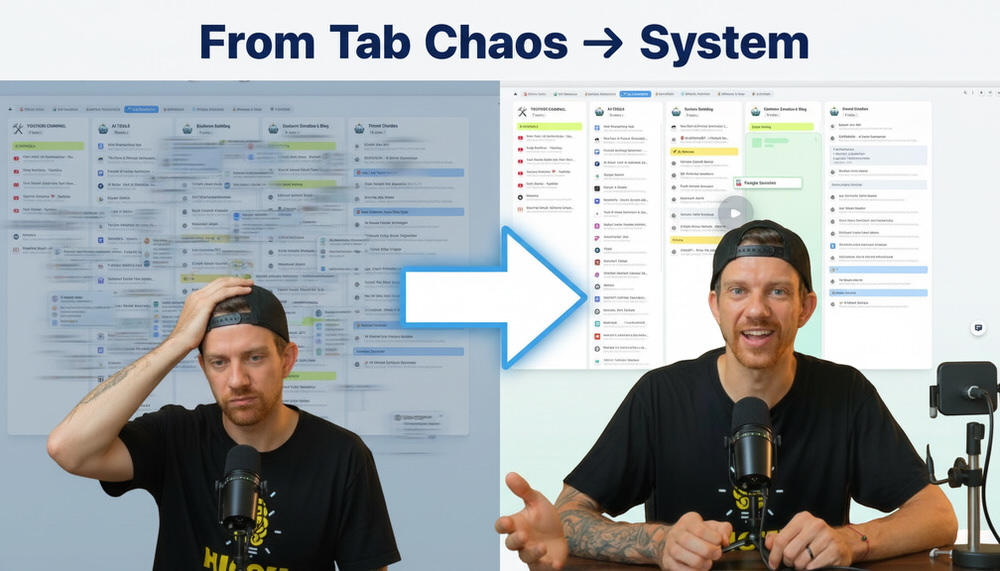
TabExtend for Creators, Coaches & Course Creators: The Ultimate Tab Management System
INTRO
If you're a creator, coach, or course builder, your browser is probably working against you.
You open one tab to research something…
Then another for a YouTube video…
Then another for ChatGPT…
Then another for funnel inspiration…
Before you know it, you’re sitting with 30+ tabs open, switching constantly, losing focus, and forgetting why you opened half of them in the first place.
This is not just messy.
It’s slowing down your entire business.
Because when your browser is chaotic, your thinking becomes chaotic too.
That’s where TabExtend comes in.
Instead of juggling endless tabs, TabExtend turns your browser into a structured system where everything has a place.
In this guide, you’ll learn:
What TabExtend is
How it works
How creators actually use it
A simple system you can copy
Why it replaces bookmarks, tabs, and mental clutter
QUICK ANSWER
What is TabExtend?
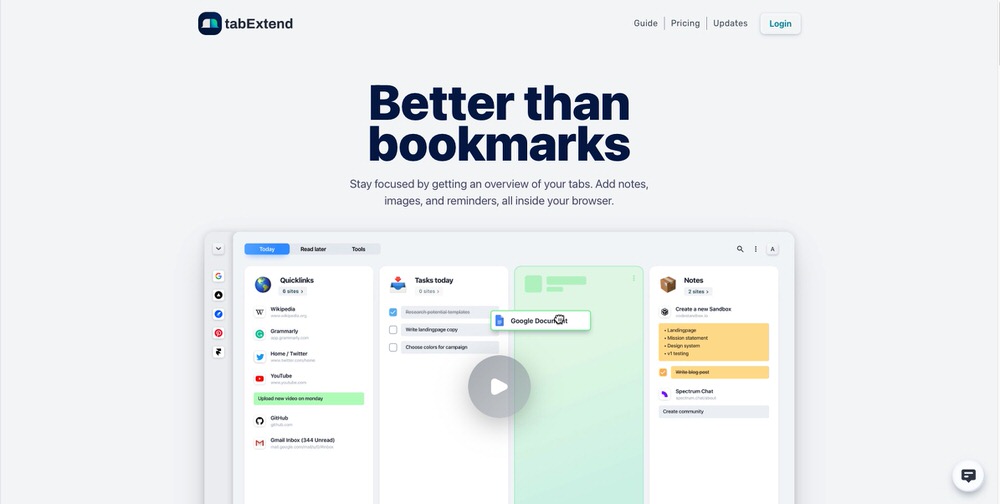
TabExtend is a tab management tool that lets you save, organize, and reopen browser tabs in structured collections instead of keeping them open.
How does it work?
You store tabs in “spaces,” organize them by category, and access them anytime without cluttering your browser.
Why does it matter?
It removes tab overload, improves focus, and creates a clean workflow system for creators.
👉 Get TabExtend here + Use code MAIK for 30% OFF
What Is TabExtend
TabExtend is a browser-based productivity tool designed to replace chaotic tab usage with structured organization.
Instead of leaving tabs open “just in case,” you save them into organized collections that you can revisit anytime.
Think of it like this:
👉 Your browser becomes a workspace
👉 Your tabs become organized assets
👉 Your ideas stop getting lost
For creators, this is not just convenience.
It’s a performance upgrade.
Why Tab Overload Is Killing Your Productivity
Most creators don’t have a tool problem.
They have a system problem.
Here’s what usually happens:
You open tabs because:
You don’t want to forget something
You want to come back later
You’re researching multiple things
But instead of helping, it creates:
1. Cognitive Overload
Too many tabs = too many decisions
2. Constant Context Switching
Jumping between tabs destroys focus
3. Lost Information
You forget what matters and what doesn’t
4. Slower Execution
You spend more time searching than doing
This is why even high-level creators feel “busy but not productive.”
How TabExtend Works (Step-by-Step)
TabExtend replaces open tabs with a simple system:
1. Save Tabs into Spaces
Instead of keeping tabs open, you save them into categories.
Examples:
Content Ideas
Funnels
AI Tools
Research
2. Organize with Structure
Each space becomes a clean library.
No clutter. No confusion.
3. Reopen Anytime
Need something?
→ Open the space
→ Click the tab
→ Continue instantly
This means:
You don’t lose anything… but you don’t keep everything open either.
How Creators, Coaches & Course Builders Use TabExtend
This is where it becomes powerful.
Because TabExtend is not just about organization.
It becomes your operating system for creation.
👉 Get TabExtend here + Use code MAIK for 30% OFF
1. YouTube Content Library
Creators constantly save videos:
Ideas
Hooks
Content strategies
Instead of leaving them open or forgetting them, you create a:
👉 “YouTube Ideas” space
Now everything is stored, categorized, and ready when you need inspiration.
2. ChatGPT & AI Tool Hub
If you’re using AI daily, you probably have:
Multiple GPTs
Prompt tools
Workflows
Instead of chaos, you create:
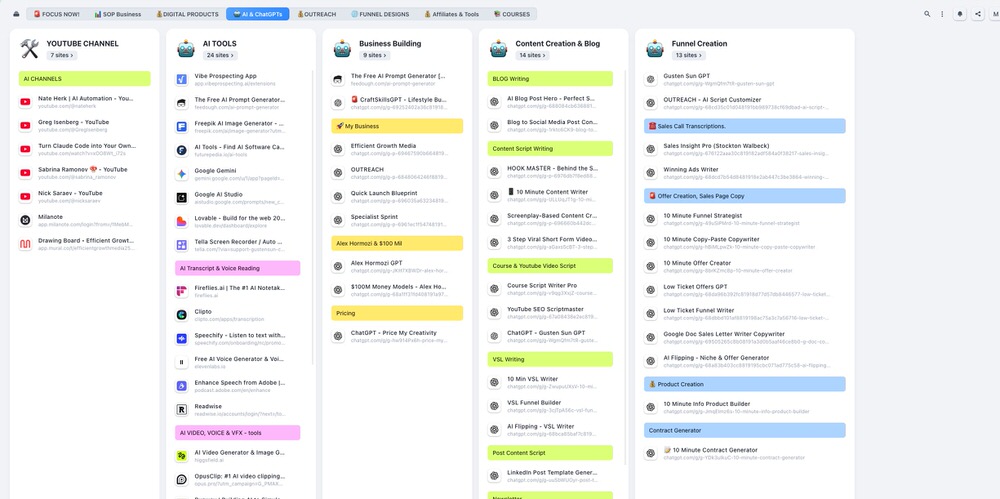
👉 “AI Tools” space
Now your entire AI stack is organized in one place.
3. Funnel Design Inspiration
You see landing pages, funnels, and offers all the time.
But most creators:
→ Lose them
→ Forget them
→ Never use them
With TabExtend:
👉 Save them into “Funnel Designs”
Now you have your own conversion swipe file.
4. Tools & Resources Library
Instead of searching bookmarks or Google:
👉 Create a “Tools” space
Store:
Platforms
Software
Resources
Now everything is one click away.
5. Digital Product & Market Research
This is where most money is made.
Creators constantly analyze:
Competitors
Offers
Pricing
Funnels
With TabExtend:
👉 Build a “Research” space
Now your ideas are not scattered anymore.
They become structured insights.
Turn Leads Into Paying Clients in 7 Days
I build conversion systems for course creators and high-ticket coaches using funnels, copy, and automation.
Instead of pushing for quick wins, we build funnels that:
Turn visitors into qualified leads
Convert leads into paying clients
Bring customers back through better experiences
What You Get
Conversion-focused funnel
High-converting copy
Automated follow-up (email + DM)
Clear lead-to-client journey
Why It Works
Most funnels focus on tools.
I focus on psychology, behavior, and flow—so it actually converts.→ Built in 7 days. Fully automated. Designed for consistent revenue
Send me a message or book a call to get started.
👉 Let's Build Your Client Conversion System
👉 Book A Strategy Session

The Simple Workflow You Can Copy
Here is a proven setup you can implement in minutes:
Core Spaces
Content
Funnels
AI Tools
Research
Resources
Daily Rule
Instead of opening tabs → save them
That’s it.
Result
Cleaner browser
Faster thinking
Better execution
👉 Get TabExtend here + Use code MAIK for 30% OFF
Why TabExtend Is Better Than Bookmarks
Many people think:
“I can just use bookmarks.”
But bookmarks fail because:
They are hidden
They are hard to organize
You forget they exist
TabExtend is different because:
It’s visual
It’s structured
It’s built for workflows
This makes it actually usable daily.
Advanced Strategy: Turn TabExtend Into Your “Second Brain”
Most people stop at organization.
But you can go further.
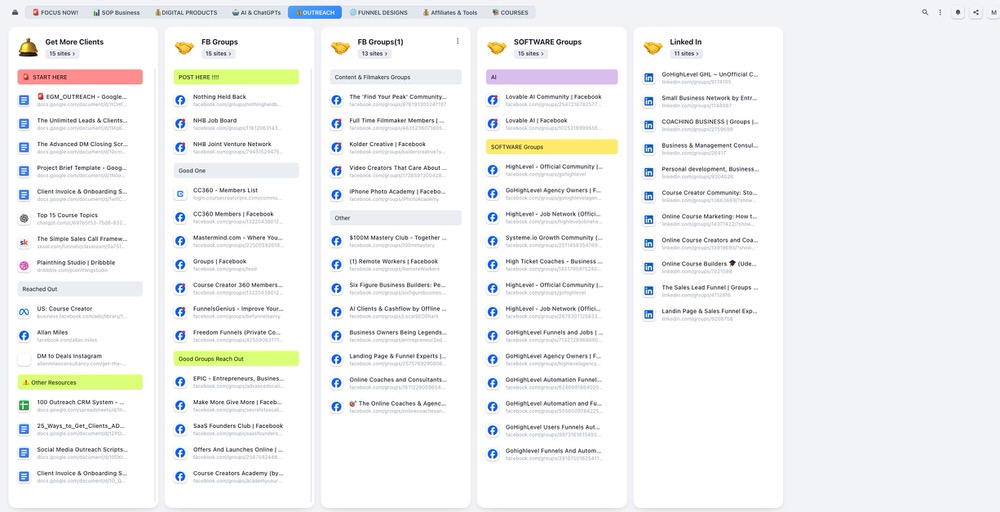
Use TabExtend as your:
Content Engine
Store ideas, references, hooks
Research Hub
Analyze competitors and trends
Funnel Swipe File
Save high-converting pages
Learning System
Keep courses, videos, and resources
Now your browser is not random anymore.
It becomes:
👉 A structured system that supports your growth
Why This Matters for Your Business
Creators don’t fail because of lack of tools.
They fail because of:
Disorganization
Overwhelm
Lack of systems
TabExtend solves all three.
When your inputs are organized:
→ Your outputs improve
Better inputs = better content = better offers = more revenue
👉 Get TabExtend here + Use code MAIK for 30% OFF
FAQ
What is TabExtend used for?
TabExtend is used to organize browser tabs into structured collections so you can access them without clutter.
How does TabExtend help productivity?
It reduces distractions, improves focus, and creates a clear workflow system.
Is TabExtend better than bookmarks?
Yes, because it is visual, structured, and designed for daily use.
Who should use TabExtend?
Creators, coaches, marketers, and anyone managing large amounts of information online.
CONCLUSION
If your browser feels chaotic, your workflow is probably chaotic too.
TabExtend fixes that.
Key Takeaways:
Stop keeping dozens of tabs open
Organize everything into systems
Reduce mental clutter
Improve focus and execution
Turn your browser into a productivity machine
If you want a clean, structured workflow:
👉 Get TabExtend here + Use code MAIK for 30% OFF
THANKS FOR READING
Ready to Scale? Here's How We Can Work Together
If you're ready to stop figuring it out alone and want a funnel system that actually converts — let's talk.
I offer Done-For-You (DFY) funnel builds for course creators, coaches, and digital product businesses.
👉 Let's Build Your Revenue System
👉 Book A Discovery Call
👉 Send Me A WhatsApp
👉 Email: [email protected]
👇 TOOLS I USE DAILY 👇
** These are affiliate links you can use to both support my work and save money,
so it's win-win for both of us. Thank you! ❤️ **
📺 Learn More on YouTube
👉 Subscribe to my YouTube Channel
My Equipment/GEAR I use: ► https://kit.co/MaikKleinert
ALL-IN-ONE Platform for Course hosting, Marketing & DM Automation:
👉 Course Creator 360 (CC360) ► Course hosting, marketing & automation.
👉 Course Creator Pro ► How to create an Online Course.
YouTube tools:
👉 🤖 VidIQ – AI‑Powered YouTube Growth 🚀
👉 🔴 Tubebuddy - YouTube Research tool
Video Editing Tools for Creators:
👉 🎨 DeHancer - 10% OFF code "MAIK" Film emulation,Filmlook,Halation,Bloom
👉 🎨 CineDream - Cinematic Color Grading Plugin, Film Looks, Click & Grade, Skin Tone Guides, Premiere / Resolve / FCP
👉 🖥 MotionVFX - Motion graphic plugin for Davinci Resolve, Premiere…
👉 🎶 ARTLIST - Music & SFX licensing
Productivity & Learning tools:
👉 Speechify ► helps ADHD individuals read audiobooks, websites, blogs, and emails.












Mail
Facebook
LinkedIn
X
Pinterest
Reddit
Snapchat