
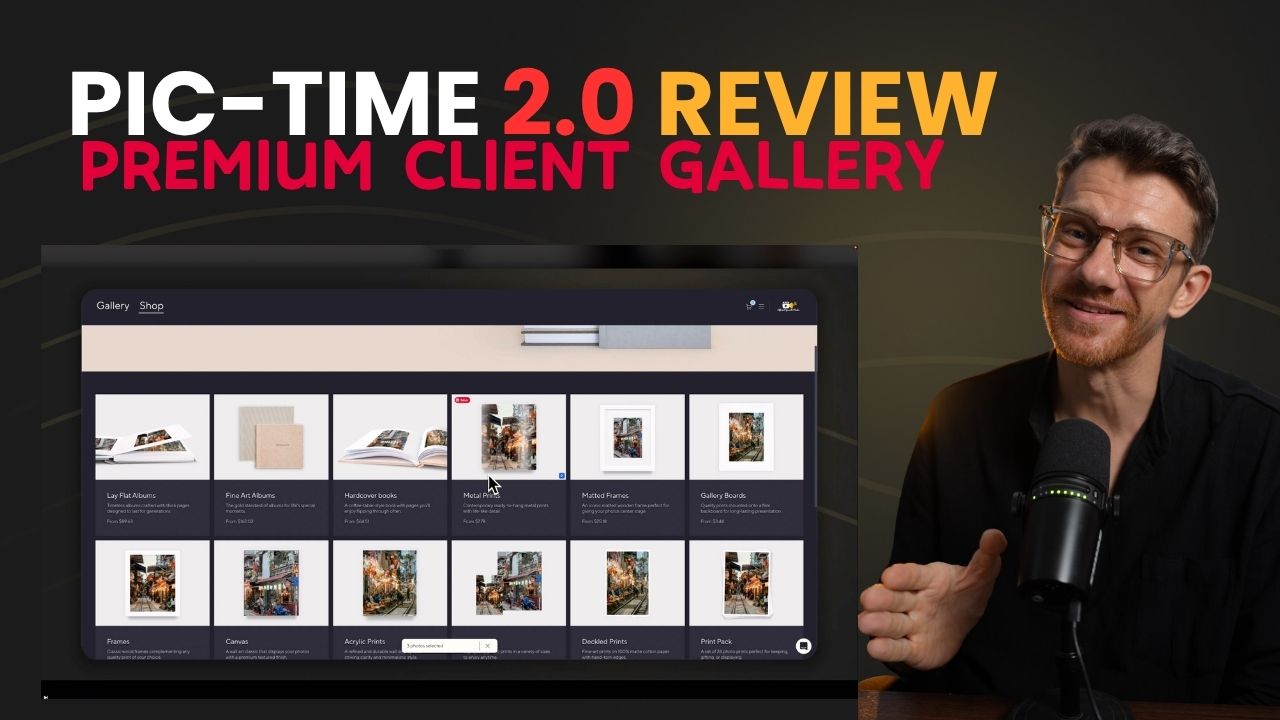
Pic-Time 2.0 Review: Client Galleries, Print Sales and Workflow
If you are looking for a Pic-Time 2.0 review, the short answer is this: Pic-Time is more than a gallery delivery platform. It helps photographers create a premium client experience, sell prints, automate follow-ups, publish SEO-friendly blog posts, and speed up their Lightroom workflow.
Most photographers spend hours shooting and editing, then deliver the final work through a simple Google Drive or Dropbox link. That works, but it does not create a strong client experience. It also leaves money on the table.
Pic-Time 2.0 is built for photographers who want their galleries to feel premium, not basic. It combines online client galleries, print sales, sales automation, Lightroom integration, AI-powered gallery search, video delivery, slideshows, art galleries, and blog features. Pic-Time describes its platform as an online gallery and sales platform for professional photographers, with client galleries, smart automation, and an integrated print store.
This review is based on the my YouTube video which you can also whatch.
🎁 Try Pic-Time free for 30 days and test it with one real client gallery before moving your full workflow over.
What Is Pic-Time 2.0?
Pic-Time 2.0 is an online gallery platform for professional photographers who want to deliver images, sell prints, automate marketing, and give clients a polished gallery experience.
Instead of sending a folder link, you send clients a branded gallery. They can view images, select favorites, download files, buy prints, design albums, order wall art, and share the gallery with friends or family.
The main difference is simple:
Google Drive delivers files.
Pic-Time delivers an experience.
That matters because client experience affects how people remember your work. A strong gallery can make your photography feel more premium, increase perceived value, and create extra revenue through print sales.
Who IsPic-Time Best For?
Pic-Time is best for photographers who care about three things:
Better client delivery
Faster workflow
More revenue from each shoot
It works especially well for:
Wedding photographers
Brand photographers
Family photographers
Travel photographers
Portrait photographers
Fine art photographers
Commercial photographers
Photographers who want to sell prints or albums
Pic-Time may be more than you need if you only deliver a few small galleries per year and do not care about print sales, automation, or branded presentation. For beginners, a simpler gallery tool can be enough. But for photographers who want a more advanced system, Pic-Time feels much more complete.
Pic-Time 2.0 Review: What Changed?
Pic-Time 2.0 improves the gallery experience with a cleaner, more editorial look. The update is a redesign of the gallery experience, shop, and album designer, with a more premium magazine-style feel.
The biggest updates include:
Cleaner gallery interface
Smoother navigation
Redesigned print shop
More editorial gallery presentation
Next-generation album creation
Stronger client experience
Better sales flow inside the gallery
The goal is clear: make the gallery feel less like a file manager and more like a premium photography experience.
That is important because clients do not only judge your work by the photos. They also judge how you deliver the photos.

The Main Problem Pic-Time Solves
Many photographers finish a project, upload the images to Google Drive, send the link, and move on.
The client receives the files, downloads them, and the relationship ends.
That means:
No premium presentation
No emotional delivery moment
No built-in print offer
No automated follow-up
No easy album upsell
No SEO value from the shoot
No passive revenue system
Pic-Time solves this by turning delivery into a branded client journey.
The client opens the gallery, sees the images in a beautiful layout, can favorite photos, download files, search the gallery, buy prints, and receive automated reminders or offers.
That is a much better business system than “shoot, edit, send link, done.”
Pic-Time Client Galleries
The client gallery is the core of Pic-Time.
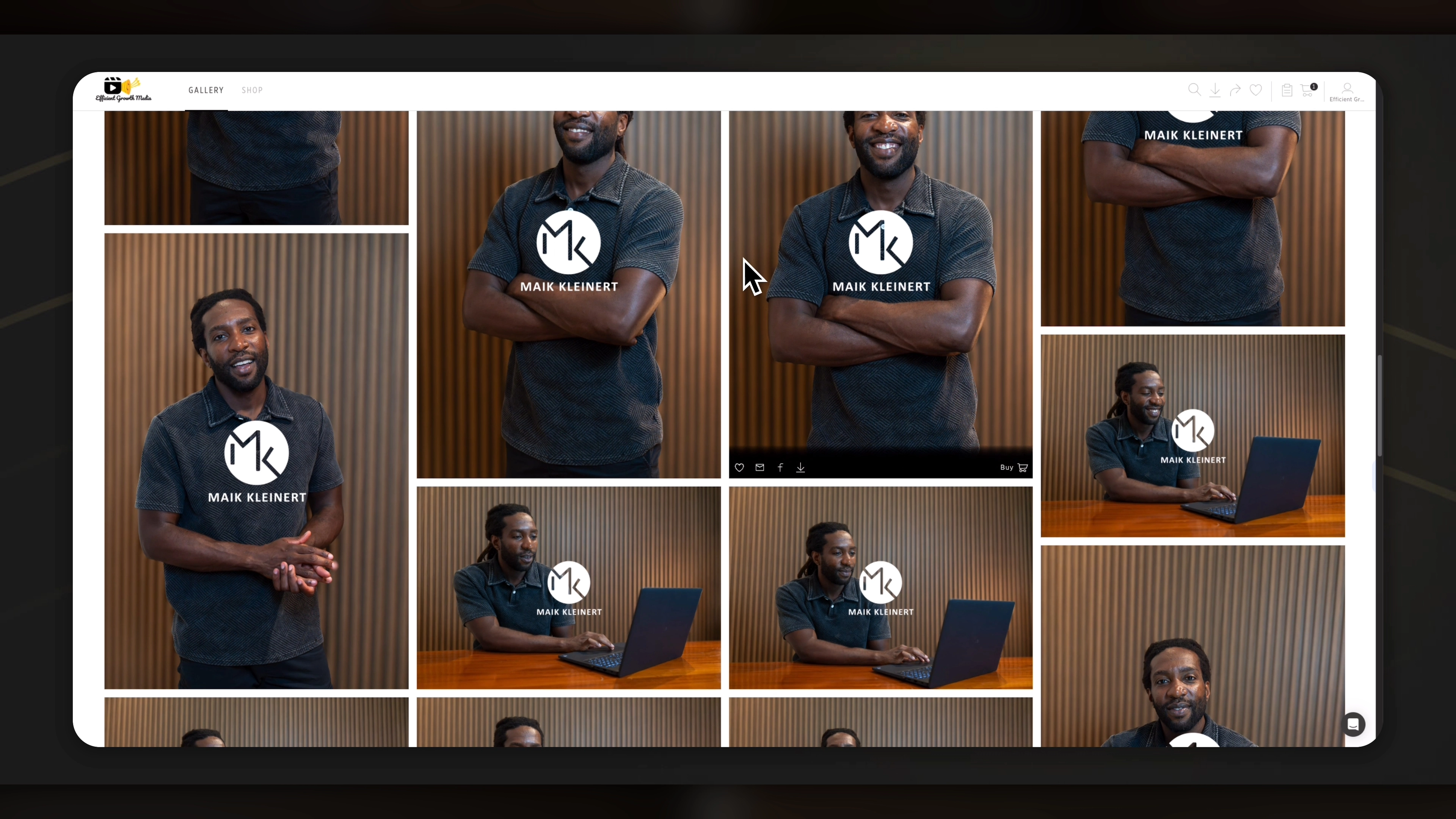
When you create a new gallery, you can upload high-resolution files, organize images into scenes, add watermarks, enable downloads, create slideshows, and customize the gallery to match your brand.
One practical workflow from my video is to upload high-resolution files directly. Pic-Time then handles the web preview version automatically, so clients can view optimized images online while still receiving high-resolution downloads when allowed.
This keeps the process simple.
You do not need to manage separate folders for:
Web-size files
High-resolution files
Download files
Print-ready files
Everything can live inside one gallery system.
Watermark Protection
Pic-Time also lets photographers apply watermarks to gallery images. This is useful when clients share gallery links with friends, family, or team members.
The watermark can protect preview images while still allowing clean downloads or print orders after purchase or approval.
This is especially useful for proofing workflows, where clients need to select final images before receiving full-resolution files.
Pic-Time Lightroom Integration
One of the strongest features in Pic-Time is the Lightroom Classic integration.
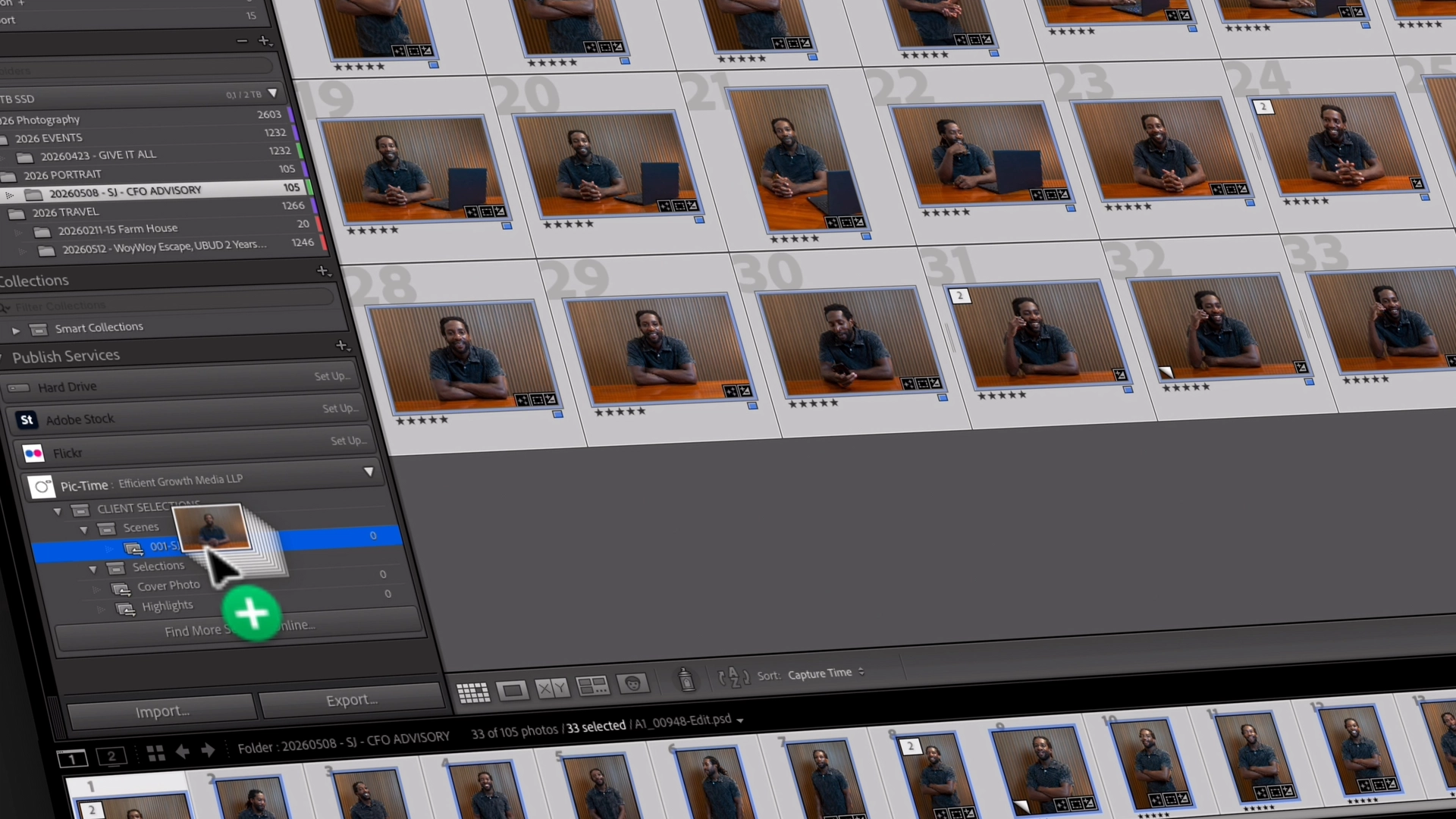
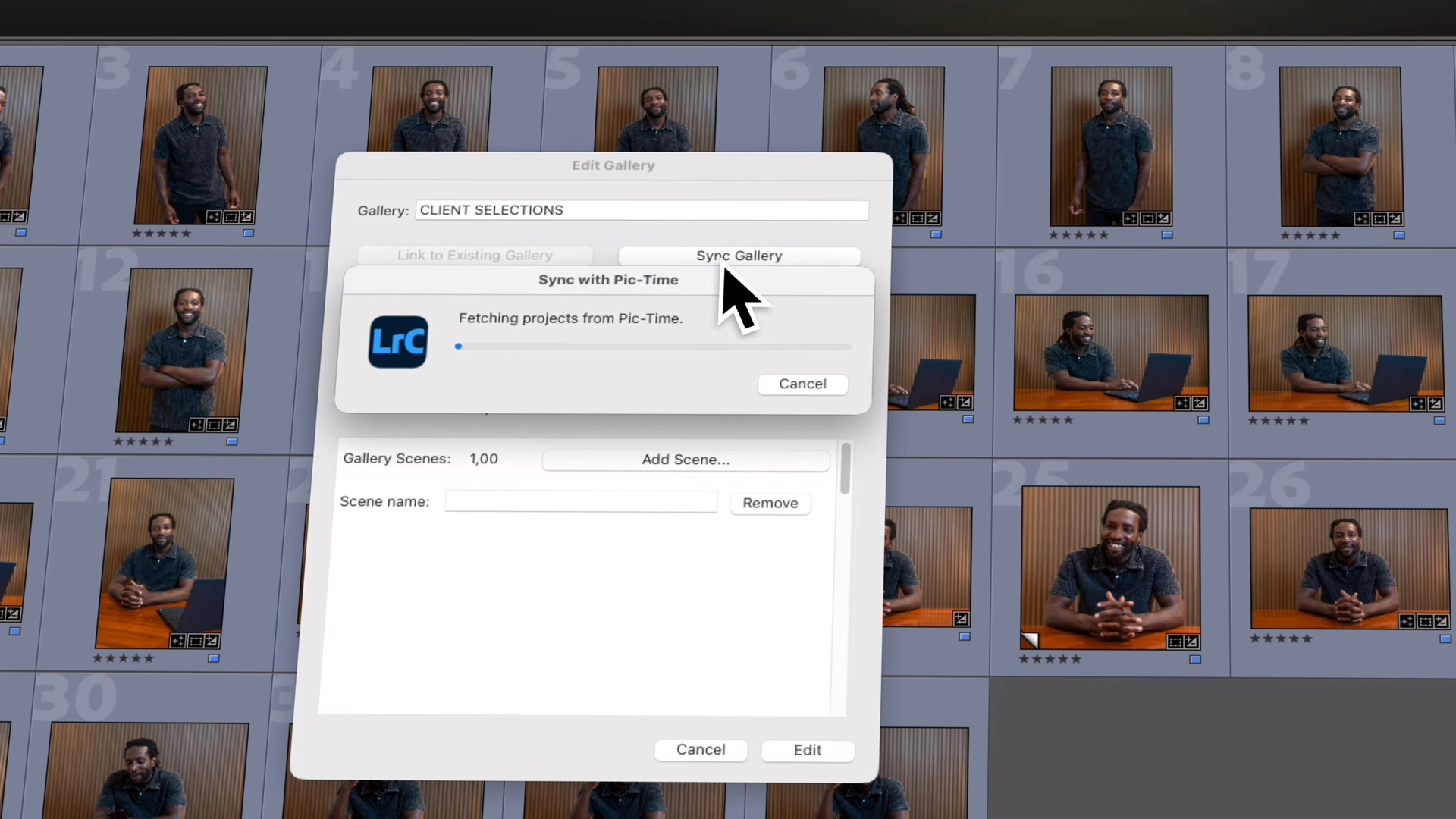
Pic-Time’s Lightroom Plug-in is designed to connect gallery creation and client proofing directly into an existing Lightroom workflow. Pic-Time’s help center says the plug-in can help with creating galleries, blogs, slideshows, retouching client selections, and managing orders from Lightroom.
This matters because many photographers already edit inside Lightroom Classic. Without integration, the usual workflow looks like this:
Edit photos in Lightroom
Export files
Create folders
Upload manually
Send gallery
Wait for client selections
Find selected files again
Finish edits
Export again
Re-upload
That creates too many manual steps.
With Pic-Time and Lightroom, the process becomes much cleaner.
How the Workflow Works
A simple Pic-Time Lightroom workflow can look like this:
Edit your images in Lightroom Classic
Select the images you want to send
Publish them to a Pic-Time gallery
Send the gallery to the client
Let the client favorite or select images
Sync client selections back to Lightroom
Finish the final edits
Publish the final gallery
Pic-Time also has documentation for syncing Lightroom selections and favorites. The process allows gallery selections and favorites to sync back into Lightroom, which helps photographers see what the client chose without manually checking image names.
For photographers delivering multiple galleries per week, this can save a lot of time.
Client Proofing and Favorite Selection
Client proofing is one of the most useful parts of Pic-Time.
Instead of sending a folder and asking the client to write down file names, the client can open the gallery, create an account or log in, and select their favorite images.
Then those selections can sync back to Lightroom.
This is helpful for:
Weddings
Portrait sessions
Brand shoots
Product shoots
Family sessions
Personal branding galleries
Commercial projects
It also creates a better client experience because the client does not need to download images, rename files, or send confusing lists.
They just click favorites.
For the photographer, it means less back-and-forth.
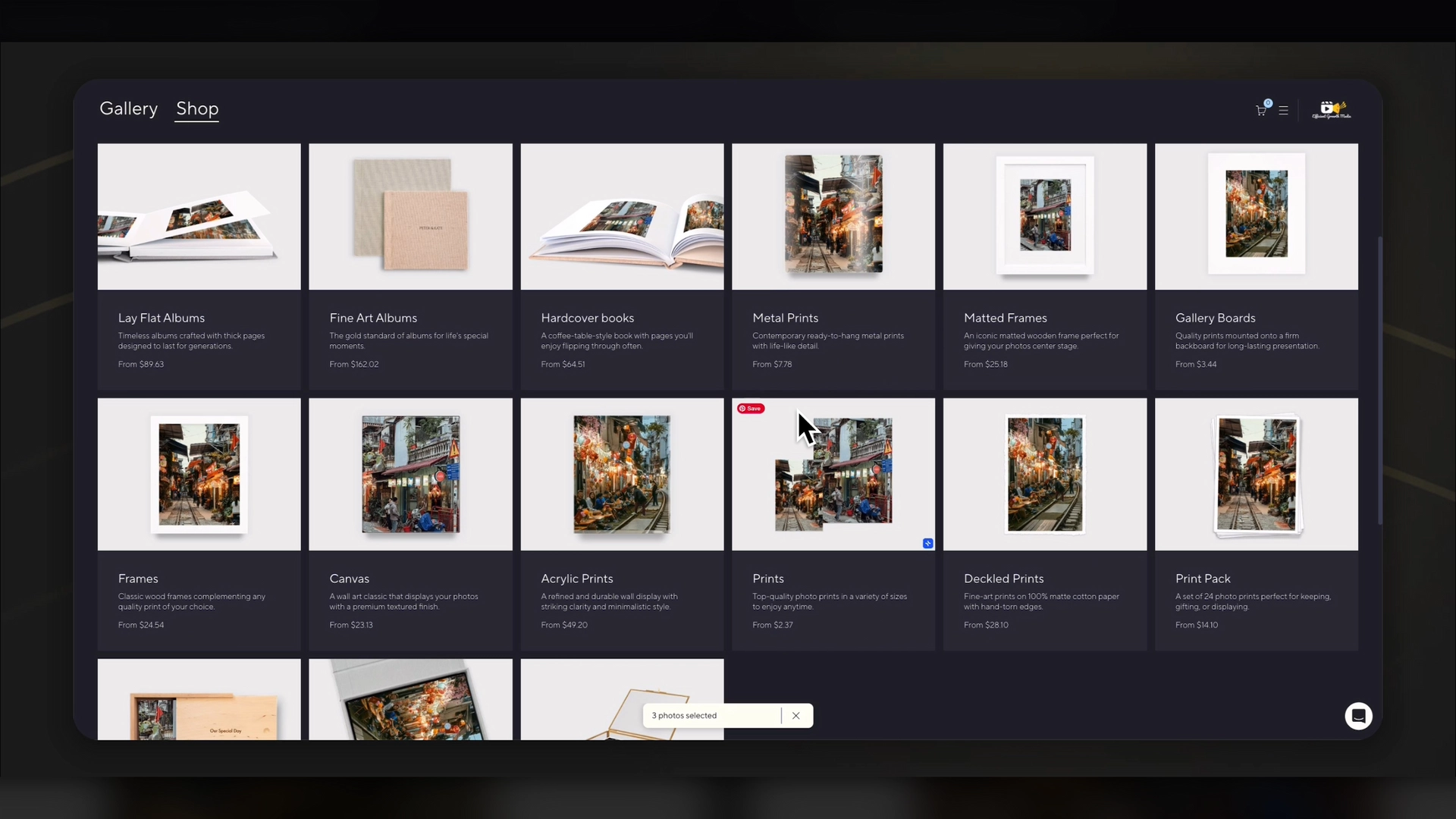
Pic-Time Print Store
The print store is one of the biggest reasons to use Pic-Time.
Pic-Time includes an integrated print store, and its official website lists many global print lab partners connected to the platform.
That means clients can order products directly from their gallery, such as:
Framed prints
Canvas prints
Albums
Wall art
Cards
Fine art prints
Books
The important part is that the client sees their actual images on products. This is stronger than sending them to a separate shop with generic mockups.
When clients see their own wedding photo, family portrait, or brand image inside a frame or album preview, the offer feels more personal.
That can increase the chance of a sale.
How Pic-Time Helps Photographers Make Passive Income
Pic-Time can help photographers create extra income after the shoot is delivered.
This does not mean money appears without effort. You still need great photos, good gallery setup, clear pricing, and a strong client experience. But Pic-Time can automate parts of the sales process.
The revenue opportunity comes from:
Print sales
Album sales
Wall art
Extra digital downloads
Limited-time offers
Automated follow-up emails
Abandoned cart reminders
In my video I explain this well: instead of getting paid only once for the shoot, photographers can give clients an easy way to buy more after delivery.
This is powerful because clients are most excited right after they receive the gallery. That is the best moment to offer prints, albums, and wall art.
Pic-Time Offers and Sales Automation
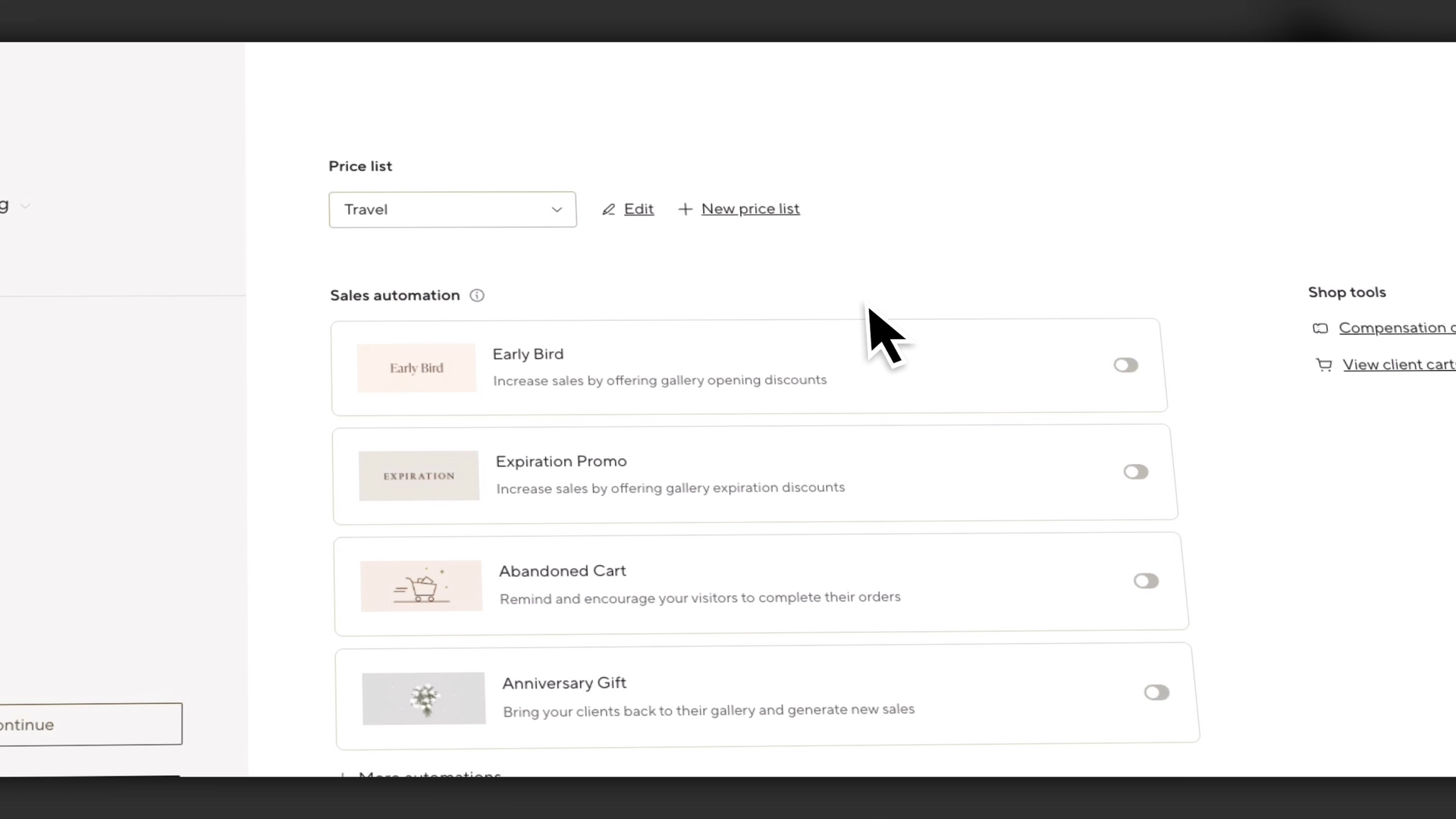
Pic-Time includes sales automation tools that can help photographers promote products after gallery delivery.
For example, you can create a limited-time print discount after a gallery goes live.
A simple offer could be:
“Get 20% off prints for the first 48 hours.”
This works because the client is already excited. They just opened the gallery. They are sharing the photos. They are emotionally connected to the images.
That is the right time to offer prints.
Pic-Time’s platform includes marketing automation tools as part of its online gallery and sales system.
The abandoned cart follow-ups. This means if a client adds products to their cart but does not finish the order, Pic-Time can follow up automatically.
That is useful because many people do not buy the first time. A reminder can bring them back.
Pic-Time AI Gallery Search
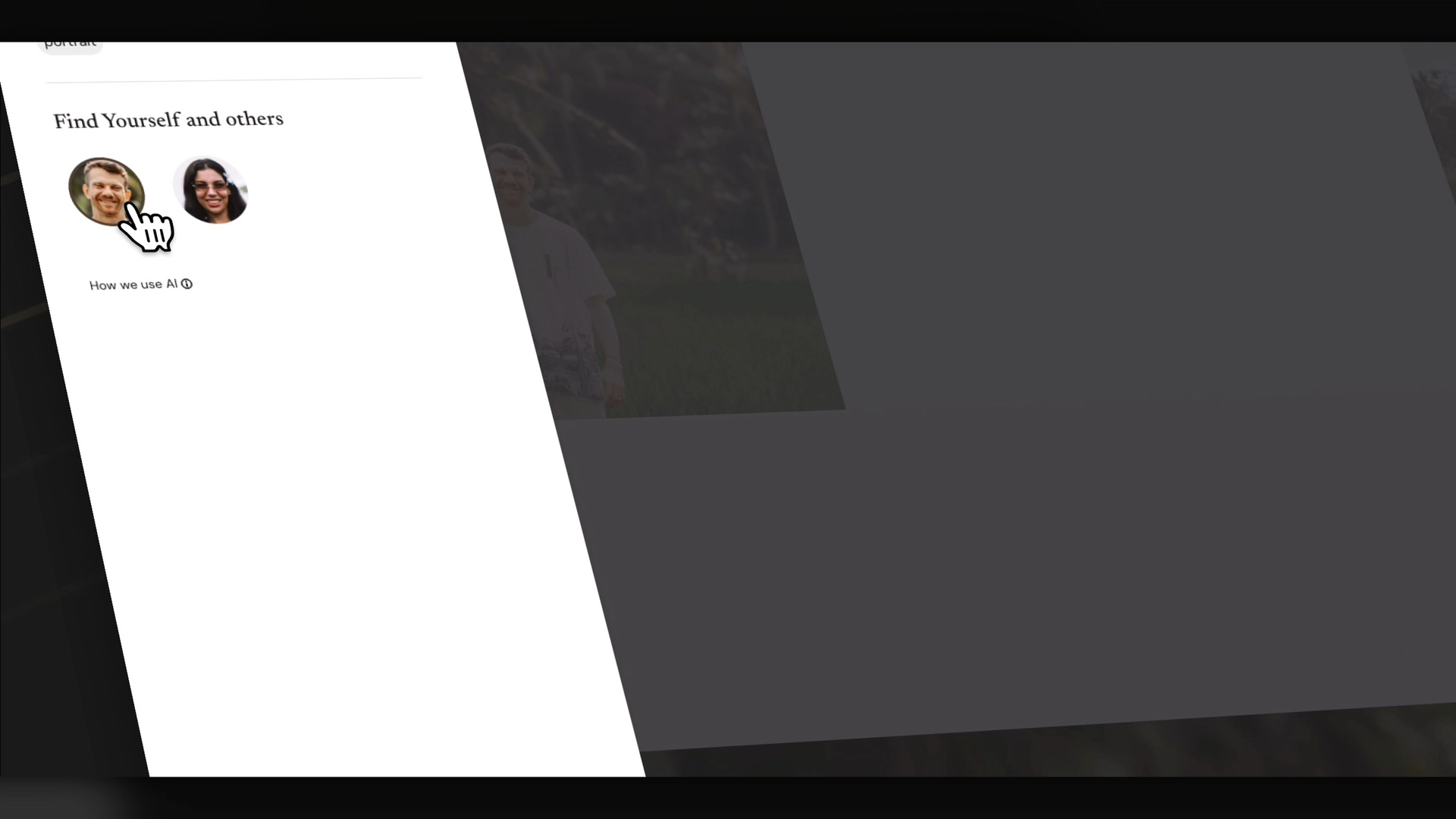
Pic-Time also offers AI-powered gallery search. Pic-Time lists AI-powered gallery search as one of its product features.
This can be very useful for large galleries.
For example, a wedding gallery may have 800 or more images. A family member may want to find every photo they appear in. Instead of scrolling through the full gallery, they can search by person or keyword, depending on the gallery setup.
This improves the client experience because people can find what they want faster.
It can also support print sales because clients spend more time engaging with the gallery instead of getting frustrated.
The easier it is to find meaningful images, the easier it is to buy them.
Pic-Time Blogs and SEO
One underrated feature is Pic-Time Blogs.
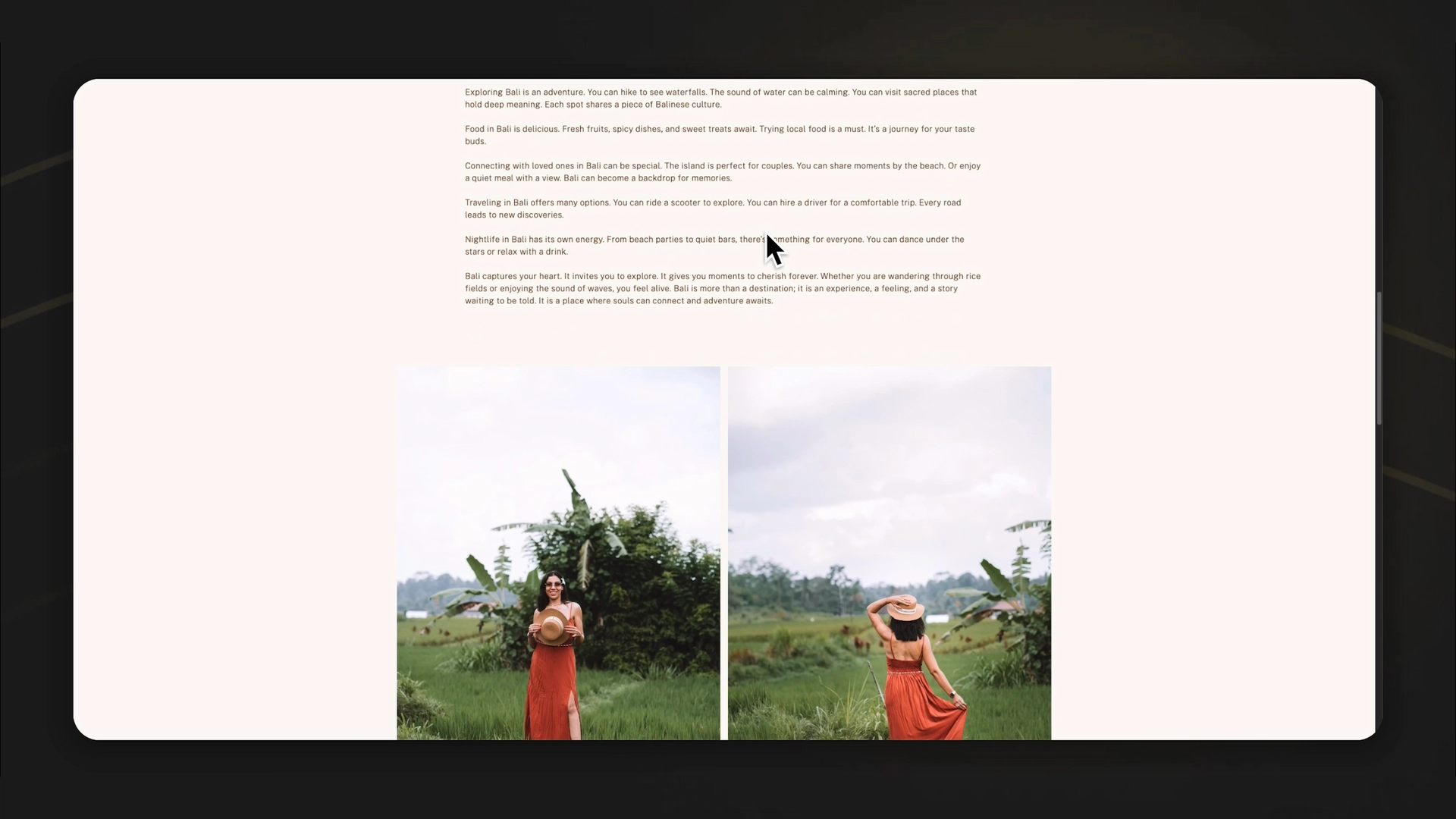
Pic-Time says its blog feature allows photographers to design and publish SEO-optimized blog posts directly from client galleries, without uploading images twice.
This is important because every shoot can become a search asset.
For example, instead of only delivering a gallery, a photographer could publish blog posts like:
Bali Brand Photoshoot for a Wellness Coach
Modern Wedding Photography at [Venue Name]
Personal Branding Photography for Coaches in [City]
Luxury Villa Photoshoot in Canggu
Family Photography Session in [Location]
These posts can help people find your work on Google.
Pic-Time says its blogs support SEO features such as descriptions, alt text, tags, fast loading, site map structure, and image file renaming.
That makes Pic-Time useful not only for delivery but also for visibility.
Why SEO Blogs Matter for Photographers
Photographers often post their work on Instagram, but social posts disappear quickly.
A blog post can work for much longer.
A good SEO blog can help you rank for searches like:
Wedding photographer in Bali
Brand photographer in Canggu
Fitness photographer in Dubai
Family photographer in Berlin
Product photographer for ecommerce brands
The best part is that the blog is built from work you already created.
You already shot the images.
You already edited them.
You already delivered the gallery.
Turning that shoot into a blog post gives the project more long-term value.
Turn Leads Into Paying Clients in 7 Days
I build conversion systems for course creators and high-ticket coaches using funnels, copy, and automation.
Instead of pushing for quick wins, we build funnels that:
Turn visitors into qualified leads
Convert leads into paying clients
Bring customers back through better experiences
What You Get
Conversion-focused funnel
High-converting copy
Automated follow-up (email + DM)
Clear lead-to-client journey
Why It Works
Most funnels focus on tools.
I focus on psychology, behavior, and flow—so it actually converts.→ Built in 7 days. Fully automated. Designed for consistent revenue
Send me a message or book a call to get started.
👉 Let's Build Your Client Conversion System
👉 Book A Strategy Session

Pic-Time Video Delivery
Pic-Time is mainly known for photography galleries, but it also supports video delivery depending on the plan.
This is useful for hybrid creators who shoot both photo and video.
For example, a brand shoot may include:
Final photos
Short-form reels
Behind-the-scenes clips
Product videos
Client testimonials
Social media assets
Having photo and video side by side inside one client delivery platform can make the final delivery feel more professional.
Pic-Time’s pricing page mentions photo and video storage, Lightroom integration, clips and photos side-by-side, and premium client galleries on its client delivery plans.
Pic-Time 2.0 Pros
Pic-Time 2.0 has several strong advantages for photographers.
Premium Client Experience
The biggest benefit is how the gallery feels. It looks more professional than a folder link and gives the client a better first impression.
Lightroom Workflow
The Lightroom Classic integration can save time, especially for proofing and client selections.
Print Sales
The built-in store makes it easier to sell prints, albums, and wall art without building a separate ecommerce system.
Automation
Sales automation and abandoned cart follow-ups help photographers promote products without manually emailing every client.
SEO Blog Feature
Pic-Time Blogs can turn galleries into SEO assets that may help attract new clients through search.
AI Search
AI-powered search makes large galleries easier to browse.
Strong Brand Presentation
The galleries, shop, and blog features can help photographers create a more polished brand experience.
Pic-Time 2.0 Cons
Pic-Time is powerful, but it may not be the right fit for every photographer.
It May Be Too Advanced for Beginners
If you only need a simple gallery and do not care about print sales or automation, Pic-Time may feel like more than you need.
Album Text Customization Could Be Better
One improvement change would be to have text options when creating magazines or books, similar to the blog post editor.
Pic-Time vs Google Drive
Google Drive is useful for storage and simple file sharing. But it is not built for professional photo delivery.

Here is the simple difference:
Google Drive
Basic file delivery
No premium gallery design
No built-in print store
No gallery-based upsells
No client proofing experience
No photography-specific automation
No SEO gallery blog system
Pic-Time
Premium gallery delivery
Built-in print store
Lightroom workflow
Client selections
Automated offers
Abandoned cart follow-ups
SEO-friendly blogs
AI-powered gallery search
Better client presentation
If you only need to transfer files, Google Drive can work.
If you want to impress clients and create extra revenue opportunities, Pic-Time is much stronger.
Pic-Time vs Pixieset
Pixieset is popular and can be a good starting point for photographers. It is simple, clean, and beginner-friendly.
Pic-Time feels more advanced.
A simple way to think about it:
Pixieset is good for basic delivery.
Pic-Time is better for photographers who want delivery, sales, automation, and a premium client journey.
Best Pic-Time Workflow for Photographers
Here is a practical workflow you can use:
Step 1: Edit in Lightroom Classic
Cull and edit your photos inside Lightroom.
Step 2: Upload to Pic-Time
Use the Lightroom plug-in or manual upload to create the gallery.
Step 3: Organize the Gallery
Create sections or scenes, add cover images, and adjust the layout.
Step 4: Enable Client Selection
Let clients favorite or select their images.
Step 5: Sync Selections Back to Lightroom
Use the synced favorites to finish the final edit faster.
Step 6: Deliver Final Files
Give clients download access based on your package.
Step 7: Activate Print Offers
Add limited-time print discounts or album offers after delivery.
Step 8: Publish an SEO Blog
Turn the gallery into a blog post with keywords, alt text, location, and a clear story.
This workflow turns one shoot into:
A client delivery
A print sales opportunity
A portfolio piece
An SEO asset
A better brand experience
Is Pic-Time 2.0 Worth It?
Yes, Pic-Time 2.0 is worth it for photographers who want more than basic gallery delivery.
It is especially worth it if you want to:
Deliver galleries in a premium way
Save time with Lightroom integration
Sell prints and albums
Use automated email offers
Improve client proofing
Create SEO blog posts from galleries
Build a more professional photography business
It may not be necessary if you only need simple file delivery and do not plan to use the store, automation, blog, or proofing features.
But if you want a gallery platform that can support both client experience and revenue, Pic-Time is one of the strongest options.
FAQ
What is Pic-Time 2.0?
Pic-Time 2.0 is an online gallery and sales platform for photographers. It helps with client galleries, photo delivery, print sales, Lightroom workflow, automation, AI search, and SEO-friendly blogs.
Is Pic-Time good for professional photographers?
Yes. Pic-Time is best for photographers who want premium gallery delivery, print sales, client proofing, automation, and a stronger brand experience.
Does Pic-Time work with Lightroom?
Yes. Pic-Time has a Lightroom Classic plug-in that supports gallery creation, client proofing, selections, and workflow tasks.
Can you sell prints with Pic-Time?
Yes. Pic-Time includes an integrated print store with global print lab partners, allowing clients to order prints, albums, wall art, cards, and other products directly from their gallery.
Are Pic-Time blogs SEO-friendly?
Yes. Pic-Time says its blog feature supports SEO descriptions, alt text, fast loading, tags, site map structure, and image file renaming.
Final Thoughts
Pic-Time 2.0 is not just a place to upload photos. It is a full client gallery system for photographers who want to improve delivery, create a premium experience, and generate more value from every shoot.
The biggest takeaways:
Pic-Time makes client galleries feel more premium.
The Lightroom integration can save time.
Client selections make proofing easier.
The print store creates extra revenue opportunities.
Sales automation can follow up with clients for you.
SEO blogs help your shoots become discoverable online.
AI gallery search improves the browsing experience.
If you are still sending simple Google Drive or Dropbox links, Pic-Time can help you upgrade the full client experience.
A better gallery does not just deliver photos. It makes the work feel more valuable.
🎁 Try Pic-Time free for 30 days and test it with one real client gallery before moving your full workflow over.
THANKS FOR READING
👇 TOOLS I USE DAILY 👇
** These are affiliate links you can use to both support my work and save money,
so it's win-win for both of us. Thank you! ❤️ **
📺 Learn More on YouTube
👉 Subscribe to my YouTube Channel
My Equipment/GEAR I use: ► https://kit.co/MaikKleinert
ALL-IN-ONE Platform for Course hosting, Marketing & DM Automation:
👉 Course Creator 360 (CC360) ► Course hosting, marketing & automation.
👉 Course Creator Pro ► How to create an Online Course.
YouTube tools:
👉 🤖 VidIQ – AI‑Powered YouTube Growth 🚀
👉 🔴 Tubebuddy - YouTube Research tool
Video Editing Tools for Creators:
👉 🎨 DeHancer - 10% OFF code "MAIK" Film emulation,Filmlook,Halation,Bloom
👉 🎨 CineDream - Cinematic Color Grading Plugin, Film Looks, Click & Grade, Skin Tone Guides, Premiere / Resolve / FCP
👉 🖥 MotionVFX - Motion graphic plugin for Davinci Resolve, Premiere…
👉 🎶 ARTLIST - Music & SFX licensing
Productivity & Learning tools:
👉 Speechify ► helps ADHD individuals read audiobooks, websites, blogs, and emails.












Mail
Facebook
LinkedIn
X
Pinterest
Reddit
Snapchat